A game does not start on a PC
Find the reason in Startup errors and fix the most common causes.
- Open Activity log → Startup errors. Every failed launch is there: the game, the PC, and the reason.
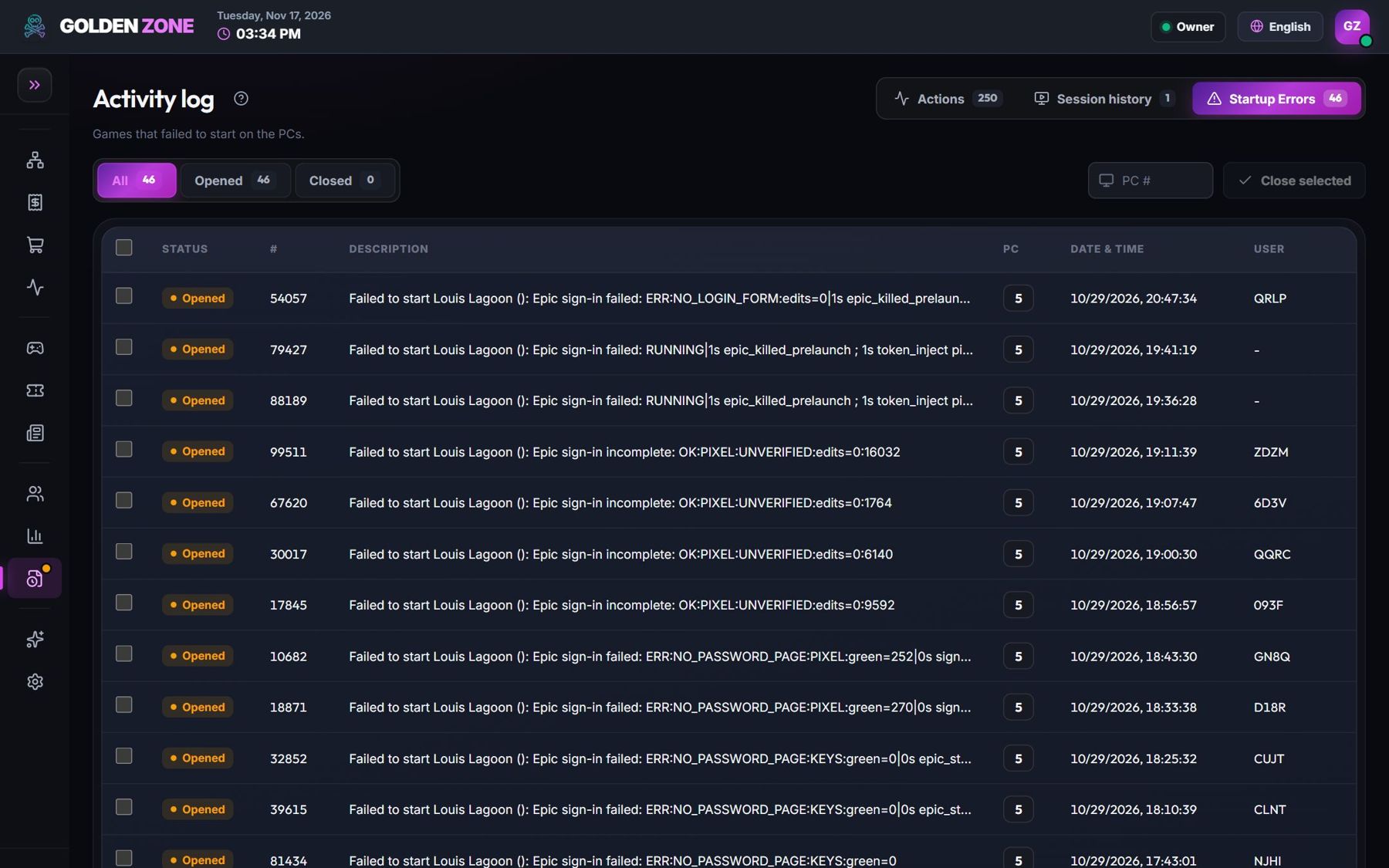
Startup errors — newest first. - Read the reason and use the table below.
Problems & fixes
Path not found / folder instead of a program
Edit the game card: the path must point to the .exe file.
The game is being updated on that PC
Wait for the update to finish (Game updates page).
The store asks to sign in
Add the store account to the License pool, or sign in once on that PC from the technician account.
The game needs administrator rights
Switch on Run as administrator in the game card.
It works with another launcher
Add a second launch method to the card — the player can choose it.