See and control a PC screen remotely
Help a player from the desk: open the PC screen or its programs.
- Right-click the PC on the map and choose Connect via local network — the PC screen opens on your desk computer.
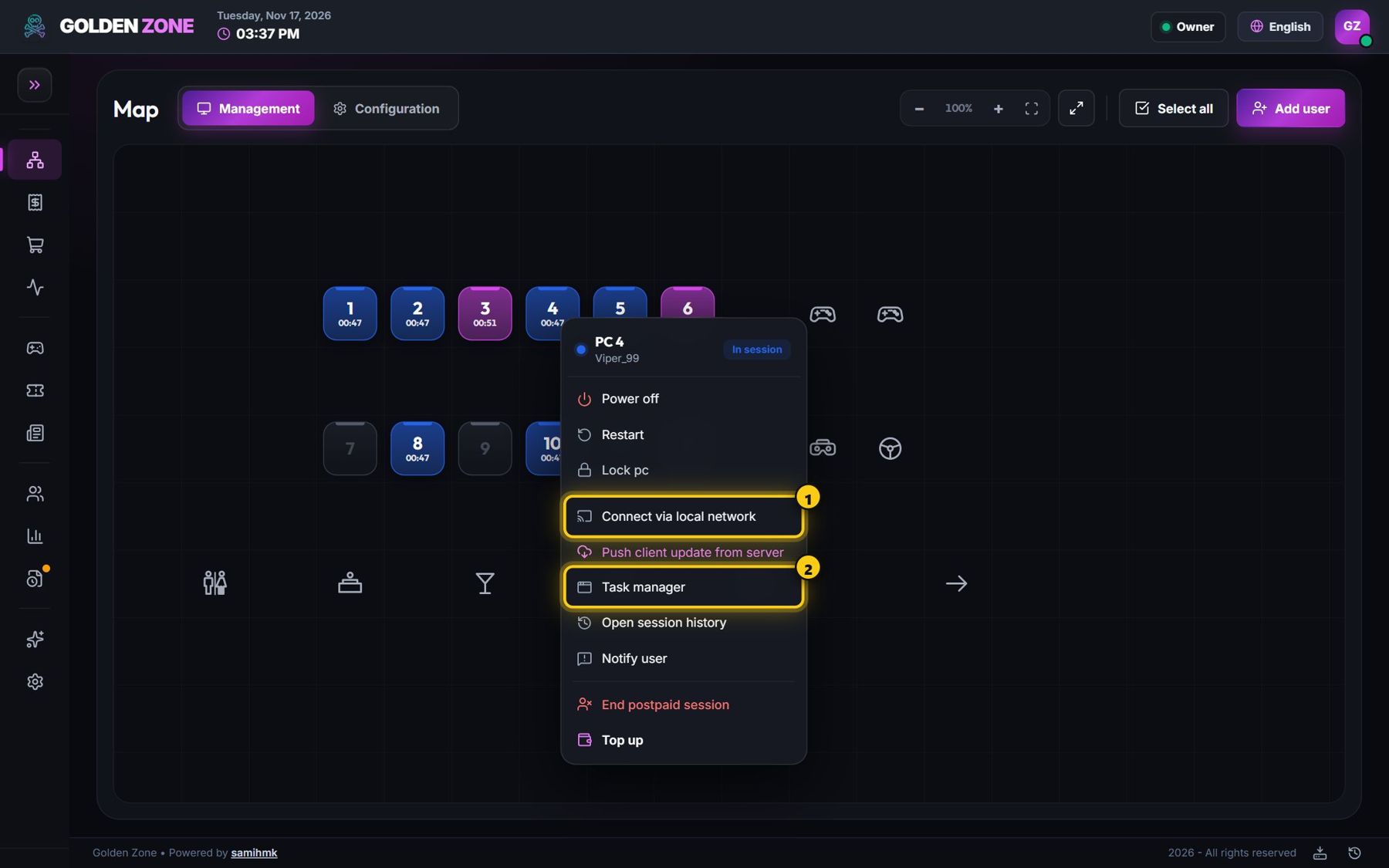
Remote control and Task manager. - Use Task manager to see the programs running on the PC and close one.
Remote control works from a computer inside the lounge network and is part of the Professional and Advanced plans (or as an add-on).